AI Post Generators in 2026: How to Pick the Right One
A comparison of the major AI post generators in 2026 — what to look for, what to avoid, and which categories of tool fit which use cases.
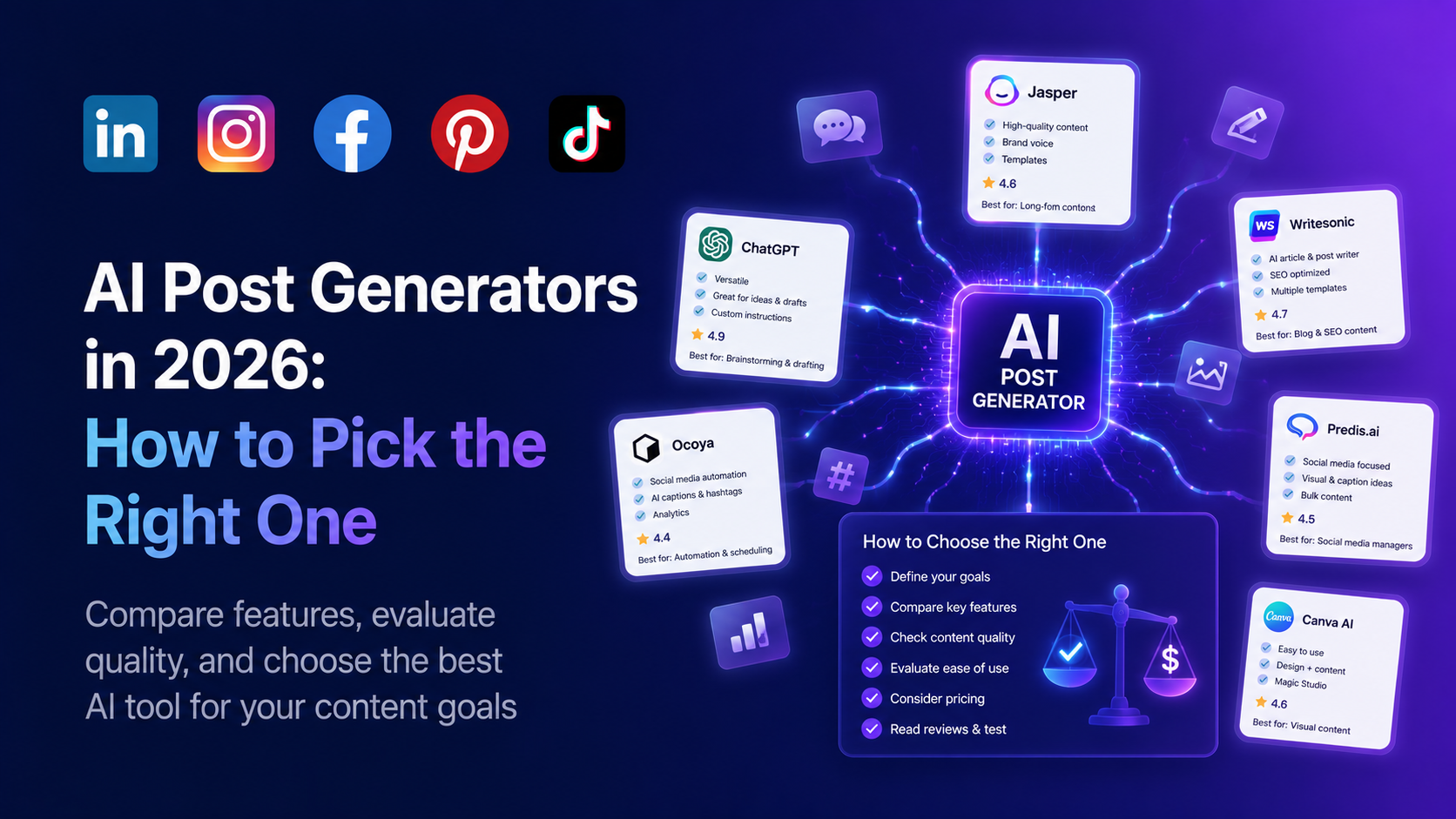
There are now over fifty AI post generators in the market. Most of them do roughly the same thing: take a prompt, return a social media post. So how do you actually pick one?
This guide breaks down what separates a great AI post generator from a mediocre one, what to look for when you evaluate, and which categories of tool fit which use cases. We avoid naming-and-shaming competitors — but we describe the categories clearly enough that you can map any tool you are considering onto the right bucket.
The four categories of AI post generator
In 2026, AI post generators fall into four broad categories. Knowing which category a tool sits in is more important than its brand name.
Category 1: General-purpose AI chatbots
ChatGPT, Claude, Gemini. Not built for social media — but you can ask them to write a post.
Pros: Free or cheap. Flexible. Good at long-form prose.
Cons: No platform-specific knowledge. No hashtag research. No image generation in the same flow. No scheduling. No brand voice training. Output is generic by default.
Use case: Hobbyists, occasional posters, people who already have a strong sense of voice and just need help with first drafts.
Category 2: Single-purpose AI writers
Tools that do one thing: take a prompt and return social copy. Some are platform-specific (LinkedIn-only, Instagram-only); others are multi-platform.
Pros: Faster than chatbots for social-specific work. Often have prompt templates. Some have brand voice basics.
Cons: Usually no image generation, no scheduling, no analytics. You still need a separate scheduler, a separate image tool, a separate analytics tool. Death by tool sprawl.
Use case: Solo creators who want a single writing tool and are happy stitching the rest together.
Category 3: All-in-one social platforms with AI bolted on
The legacy scheduling tools (Buffer, Later, Hootsuite, Sprout) that added "AI Assistant" features in 2023-2024.
Pros: Scheduling, analytics, and AI in one place. Multi-account management.
Cons: The AI is usually a thin wrapper over GPT-4 or Claude. Image generation is weak or nonexistent. Brand voice training is shallow. The AI feels bolted on because it was.
Use case: Teams already on a legacy scheduler who want to dip a toe into AI without changing tools.
Category 4: AI-first social platforms
Tools built from the ground up with AI as the core. Post generation, image generation, video generation, scheduling, and analytics all designed around AI from day one.
Pros: Tight integration. The output of one AI step (e.g. a post) becomes the input to the next (e.g. an image generation prompt). Brand voice training works across text and image. Workflows are end-to-end, not stitched.
Cons: Newer tools, smaller communities. May not yet support every niche platform feature.
Use case: Teams who want to operate at AI-native speed and are willing to switch off legacy tools.
aipost.social sits in category 4.
What to actually evaluate
When comparing AI post generators, here are the dimensions that matter — in rough order of impact.
1. Platform-specific quality
Open the tool and generate one LinkedIn post, one Instagram caption, and one TikTok script. Read them back. Do they actually feel right for each platform? A tool that produces nearly identical output for all three is not platform-aware. It is a chatbot with platform-shaped buttons.
Look for:
- LinkedIn output that has a hook in the first 1-2 lines, proper line breaks, and length in the 1300-1900 char range.
- Instagram output where the first 125 chars work as a standalone hook (because that is what shows above the "more" fold).
- TikTok scripts with explicit timing cues, hook formula, and a CTA designed for video.
2. Brand voice training
Can the tool ingest your past posts and learn your voice? If yes, how many posts does it need? If less than 10, it is probably just stuffing the posts into a prompt (cheap, OK quality). If 50+, it is doing actual fine-tuning (more setup, much better output).
A telltale sign of strong brand voice training: after setup, you can ask the tool to generate a post on a topic you have never written about, and the output still sounds like you.
3. Image generation in the same flow
Can you generate a post and a matching image without leaving the tool? If no, your workflow will leak time on tool-switching. If yes, what model powers the image generation? In 2026, the gap between Gemini 3 Pro Image, Midjourney V8, and the rest is large.
4. Hashtag and keyword research
A real hashtag tool tells you the volume and competition of each suggestion. A fake one just lists hashtags. The difference between the two is the difference between hashtags that drive impressions and hashtags that look like spam.
5. Scheduling
Can you queue posts? Does the scheduler suggest the best time to post based on your audience's actual behavior? Can it push to all your platforms or only some?
6. Multi-account and team support
If you are a solo creator, skip this. If you manage multiple accounts (clients, brands, team members), the difference between a single-seat tool and a real multi-account platform is the difference between profitable and frustrating.
7. Pricing model fit
AI post generators broadly split into two pricing models: published flat tiers (e.g. $19/mo for X posts) and custom plans built around your usage. Neither is automatically better. Flat tiers are predictable and self-serve; custom plans flex around posting volume, platforms and team size, which usually fits agencies and teams managing multiple brands more comfortably. The signal to watch is not the model itself — it is whether the vendor explains clearly what drives the price and how quickly they can quote you. A custom plan that takes three weeks of sales calls to price is a red flag. A custom plan quoted in a day is fine.
8. Underlying AI model
In 2026 the model under the hood matters more than ever. Some tools still use GPT-4 from 2024 because the API is cheap. The output is noticeably worse than tools running on Gemini Pro, Claude Opus, or GPT-5.
Ask the vendor (or check the docs) which model powers the post generation. If they will not say, assume it is cheap and old.
9. Output editing UX
After the AI generates a draft, can you edit it inline? Can you regenerate just one section? Can you ask "make this more punchy"? The editing UX is where you will spend 80% of your time. A great generator with a bad editor is worse than a mediocre generator with a great editor.
10. Analytics that close the loop
Does the tool track post performance and feed that data back into future generations? The 2026 best-in-class tools learn from your top-performing posts and bias future generations toward what works.
The two questions that cut through everything
If you only ask two questions when evaluating an AI post generator, ask these:
Question 1: "Show me a real post your tool generated, and the prompt that produced it."
If the vendor cannot or will not show you concrete output, walk away. The best tools have public showcases of real generated posts. The mediocre ones lean on slick landing pages and demos that never quite happen.
Question 2: "Can I generate one post end-to-end during this call?"
A great AI post generator should let you go from prompt to draft to image to scheduled post in under five minutes. If the demo takes longer or requires explanation at every step, the actual workflow will be worse than the demo.
A simple decision framework
Use this 30-second filter before you sign up for any AI post generator:
- Posting on one platform, occasionally? A chatbot is fine. Save the money.
- Posting on 2-3 platforms, multiple times per week? Pick a category-4 tool. Try the live demo before you commit.
- Managing multiple accounts or a team? Pick a category-4 tool with multi-account and team features. Pricing model matters less than workflow fit.
- Running a content team at scale? Evaluate 3-4 tools side-by-side. Run the same brief through each. Pick the one with the best output for your specific brand voice.
What we built
aipost.social is a category-4 tool. It generates posts for LinkedIn, Instagram, Facebook, TikTok, and Pinterest with platform-specific tuning, generates on-brand images and video in the same workflow, supports brand voice training on your past posts, includes a scheduler, and you can try the live generator on the homepage with no signup required.
If you want to compare it against another tool, do the two-question test on both. Generate a real post end-to-end. Pick whichever workflow you would actually use every day.
Related guides
Generate your own AI social media posts
aipost.social writes posts for LinkedIn, Instagram, Facebook, TikTok and Pinterest in seconds. Try the live demo — no signup required.
Try the live demo