LinkedIn Content Strategy with AI: A 2026 Operator's Guide
How to build a LinkedIn content strategy that uses AI for leverage without losing voice. Posting cadence, content pillars, hook frameworks, and metrics that matter.
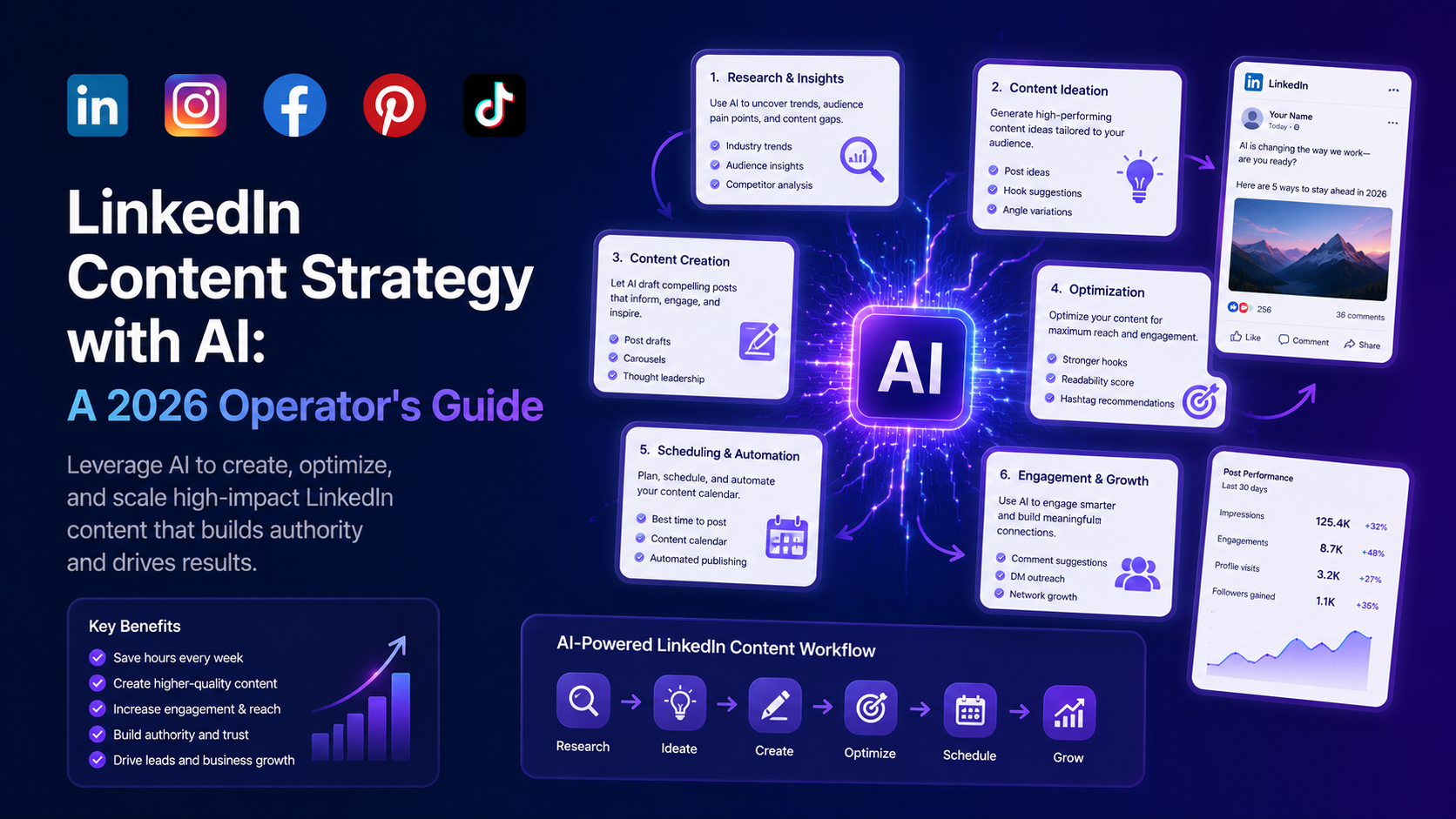
LinkedIn in 2026 is the most attention-rich and most underexploited social platform for B2B founders, marketers, and consultants. The algorithm rewards thoughtful posts. The audience pays attention. And yet most professionals post sporadically, without a system, and walk away frustrated when nothing happens.
This guide lays out a complete LinkedIn content strategy built around AI for leverage and humans for substance. It is the system we use internally at aipost.social and recommend to operators who want to be taken seriously on LinkedIn without quitting their day jobs.
The 2026 LinkedIn algorithm in one paragraph
LinkedIn's 2026 ranking algorithm rewards three things, in roughly this order: (1) dwell time on a post, (2) thoughtful comments (the algorithm now distinguishes "Great post!" from a real two-sentence reply), and (3) saves and shares. It penalizes external links in the body of a post, engagement-bait CTAs ("Agree?"), and accounts that post identical content repeatedly.
Practical implication: write posts that make people stop scrolling and read for 8+ seconds, end with a CTA that prompts a real reply, and put any external link in the first comment, not the post body.
The content pillar system
Pick three content pillars. Three. Not five, not ten.
A pillar is a recurring topic area you commit to. For an early-stage SaaS founder, pillars might be:
- Product building lessons (what we shipped this week, what failed, what we learned)
- Hiring and team (a real lesson from a recent hire, a team-culture observation, an interview pattern)
- Customer wins and losses (a real customer story, an industry trend we see, a failure pattern)
The pillars should be (a) genuinely interesting to you and (b) clearly distinct from each other. Cycling through three pillars produces variety without scatter.
Once you have your three pillars, post one piece of content from each pillar per week. That is 3 posts a week, 12 a month, ~150 a year. Enough volume to compound, low enough to maintain.
The 80/20 AI split
For each post, decide upfront which mode you are in:
- 80% AI, 20% human: Recurring formats like product update posts, weekly customer wins, market roundups. Use AI for the draft, edit lightly, publish.
- 20% AI, 80% human: Big takes, contrarian opinions, founder essays. Write yourself. Use AI only for hashtag research, hook variants, or final-pass editing.
Aim for roughly two 80/20 posts per week and one 20/80 post. Three posts, three pillars. The system is the strategy.
A hook framework that works
LinkedIn hooks are the entire game. If your first 1-2 lines do not stop the scroll, the algorithm assumes the post is bad and stops showing it. We use six hook templates, rotated:
- The number reveal. "I tracked our churn rate for 12 weeks. The reason for 73% of cancellations was not what I expected."
- The contrarian take. "Most LinkedIn advice tells you to post daily. After running this experiment for 90 days, I think it is wrong."
- The story opener. "Yesterday a customer told me something that changed how I think about our entire onboarding flow."
- The unexpected confession. "I fired three people in 2025. Two of them were the best technical hires I have ever made."
- The specific moment. "It is 11:47 PM. I just shipped a feature that took us four months. Here is what I learned."
- The hard question. "Why do most SaaS startups stop growing at $5M ARR? After interviewing 40 founders who stalled there, here is the pattern."
When generating with an AI LinkedIn post generator, specify which template you want. Without specification, AI defaults to weaker hooks like "In today's competitive market..."
Post structure that works in 2026
The structural template that consistently wins on LinkedIn in 2026:
- Hook (1-2 lines). From the framework above.
- The setup (2-3 lines). Context. What you noticed, what you tried, what you saw.
- The body (5-10 lines). The main content. Use short paragraphs (1-2 lines max). Use plenty of line breaks. Bullet points are fine but not required.
- The payoff (2-3 lines). What you learned, what readers should take away, what changes if they accept your take.
- The CTA (1 line). A specific question or an open invitation. Never "What do you think?". Try "If you are running a sales team at a similar stage, I would love to hear how you handle this" or "Tell me about the time you got this wrong."
Total length: 1300-1900 characters is the LinkedIn sweet spot in 2026.
Cadence and timing
Three posts a week, posted on Tuesday, Wednesday, and Thursday. Monday and Friday under-perform because attention is split between work setup and weekend planning. Sunday evening posts work surprisingly well for B2B audiences but feel slightly off-brand.
Time of day: 7:30-9:30 AM in your target audience's primary timezone. For US B2B, that means schedule for 7:30 AM Eastern. For Europe-focused, schedule for 8:30 AM Central European Time.
A modern AI scheduler (aipost.social has one built in) handles this automatically based on your audience's actual behavior.
What to do with comments
Comments are the second-most-important signal to the algorithm after dwell time. Engage with every comment in the first 60 minutes. Real two-sentence replies (not "thanks!") teach the algorithm that the post is generating real conversation.
This is the single highest-leverage action in your LinkedIn strategy and it cannot be automated.
The visual question
You can post on LinkedIn without an image. Text-only posts often outperform image posts in 2026 because the algorithm slightly favors them (they keep users on LinkedIn longer; image posts often lead to image clicks, which exit the feed).
When you do use an image:
- Vertical 4:5 or square 1:1 ratio. Avoid 16:9.
- One clear visual element. Avoid screenshots of dashboards with 50 numbers.
- AI-generated illustrations work well; AI-generated photos of fake humans look creepy. Stick to illustrations.
- Carousels (PDF documents on LinkedIn) are the highest-engagement visual format. Use them for educational content series.
Carousels in detail
LinkedIn carousels in 2026 deserve their own treatment. They are the format with the highest engagement rate, the highest dwell time, and the lowest competition (most accounts find them too much work to make).
A good LinkedIn carousel:
- 7-12 slides. 5 is too few; 15 is too many.
- Slide 1: cover with a strong title and a "swipe" cue.
- Slides 2-N: one idea per slide. Big text, simple visual.
- Last slide: CTA. Ask for a save or a comment.
An AI carousel generator turns a single post idea into 7-10 cohesively-designed slides. This is the killer use case for AI on LinkedIn — what used to take an hour in Canva now takes five minutes.
Metrics that matter, and metrics that do not
The metrics worth tracking on LinkedIn in 2026:
- Impressions per post. Tells you whether the algorithm is showing your content.
- Engagement rate (likes + comments + reposts) / impressions. Tells you whether the content lands.
- Profile views per week. The metric most correlated with inbound DMs, demo requests, and job offers.
- Connection requests received. A leading indicator of audience growth.
Metrics not worth obsessing over:
- Follower count. A vanity metric. A 5,000-follower account that engages drives more business than a 50,000-follower account that does not.
- Likes per post. Likes are cheap. Comments and saves are real signals.
- Reach percentage. LinkedIn does not give you a real number. The displayed reach metric is approximate.
The 90-day startup plan
If you are starting LinkedIn from a near-zero base, here is the 90-day plan:
Weeks 1-2: Setup. Pick three pillars. Pick six hooks from the framework. Train an AI LinkedIn post generator on five posts you wish you had written (paste them in as voice training data). Set up a posting calendar.
Weeks 3-6: Volume. Post three times a week, every week. Edit every AI draft. Reply to every comment in the first hour. Do not check metrics weekly — only monthly.
Weeks 7-10: Iteration. Review which posts performed. Identify the pattern. Generate more posts in that mode. Drop the pillars that consistently underperform; double down on the ones that work.
Weeks 11-12: Compound. By now you have ~36 posts published, two or three "hit" posts that drove real inbound, and a clear sense of what works for your audience. Now you can ramp to 4-5 posts a week if you want, or maintain three and improve quality.
The compounding effect on LinkedIn is real but takes 60-90 days to kick in. Most people quit at day 30 because nothing has happened yet. The system above is designed to make sustained posting realistic for an operator with a day job.
A worked example
A real example from an aipost.social customer (anonymized).
A solo consultant in the data analytics space. Starting follower count: 1,200. Goal: drive 5+ inbound consulting inquiries per month within 90 days.
Pillars chosen:
- Common dashboard mistakes
- SQL patterns from real client work
- Career advice for senior data folks
Cadence: Three posts per week, Tuesday/Wednesday/Thursday at 7:45 AM Pacific.
AI split: Two AI-drafted posts per week (pillars 1 and 2), one human-written post per week (pillar 3).
Result at 90 days: Follower count 4,800 (+3,600). Inbound consulting inquiries averaging 11 per month. One enterprise client signed at $48k. Total time invested: about 4 hours per week.
Not viral. Not a million followers. Just a working system that drove real business.
Where to start
Pick your three pillars. Open the AI LinkedIn post generator and draft your first post for pillar one. Edit it. Schedule it for next Tuesday morning. Then do it again for pillars two and three.
The plan is more important than the tool. The tool just makes the plan executable.
Related guides
Generate your own AI social media posts
aipost.social writes posts for LinkedIn, Instagram, Facebook, TikTok and Pinterest in seconds. Try the live demo — no signup required.
Try the live demo